

About Swim Entries Manager
The Swim Entries Manager is a Google Workspace Add-on (for Google Sheets) designed to streamline the process of collecting and managing swimming meet entries. It is particularly useful for meet organisers who need to gather entry data from multiple schools or teams and import them into professional management software, like the HyTek Meet Manager.
Who is it for?
It is specifically built for Swim Meet Organisers, School Sports Coordinators, and Club Secretaries who want a free or low-cost way to manage the “Entry” phase of a swim meet without relying on expensive proprietary entry systems like Team Manager, Sporty and others.
Features
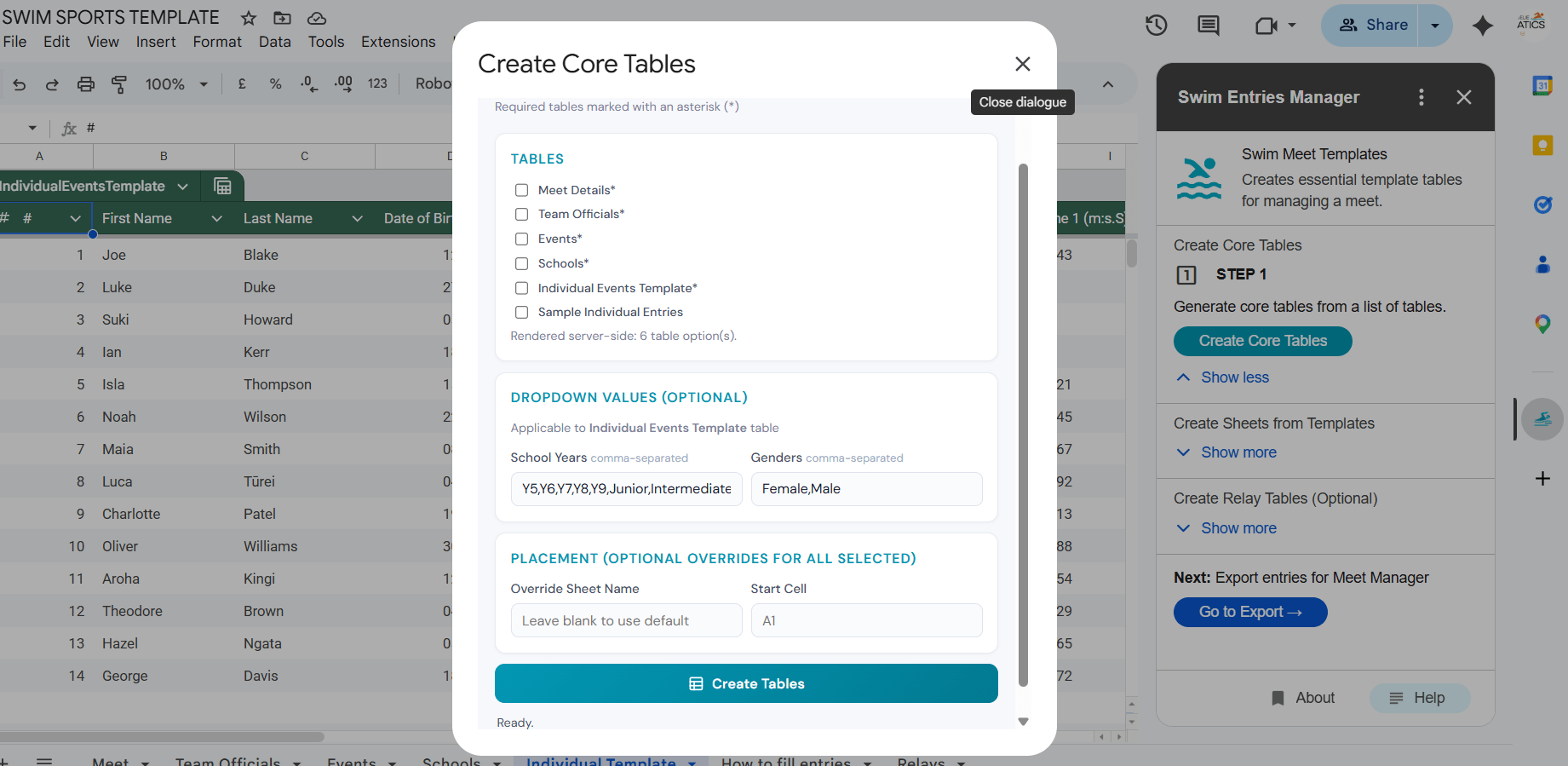
Template Management
- Organisers can create standard entry templates to send to participating schools or clubs, ensuring all data (swimmer names, ages, events, seed times) is collected uniformly.
Sheet Duplication
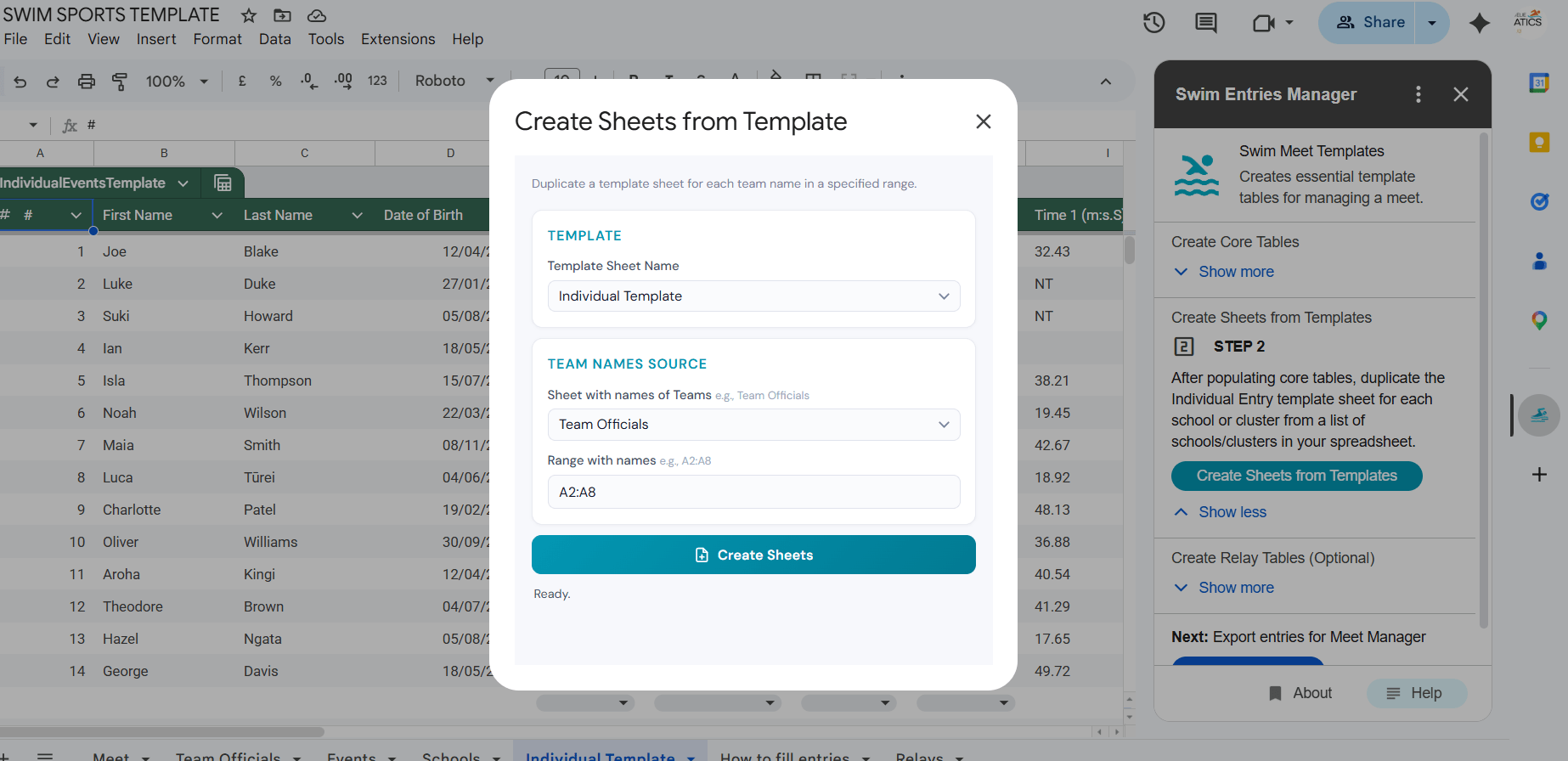
- Bulk Sheet Creation: Duplicate individual entry templates for multiple schools or clusters
- Automatic Naming: Sheets are automatically named based on school/cluster names
Export for Meet Manager
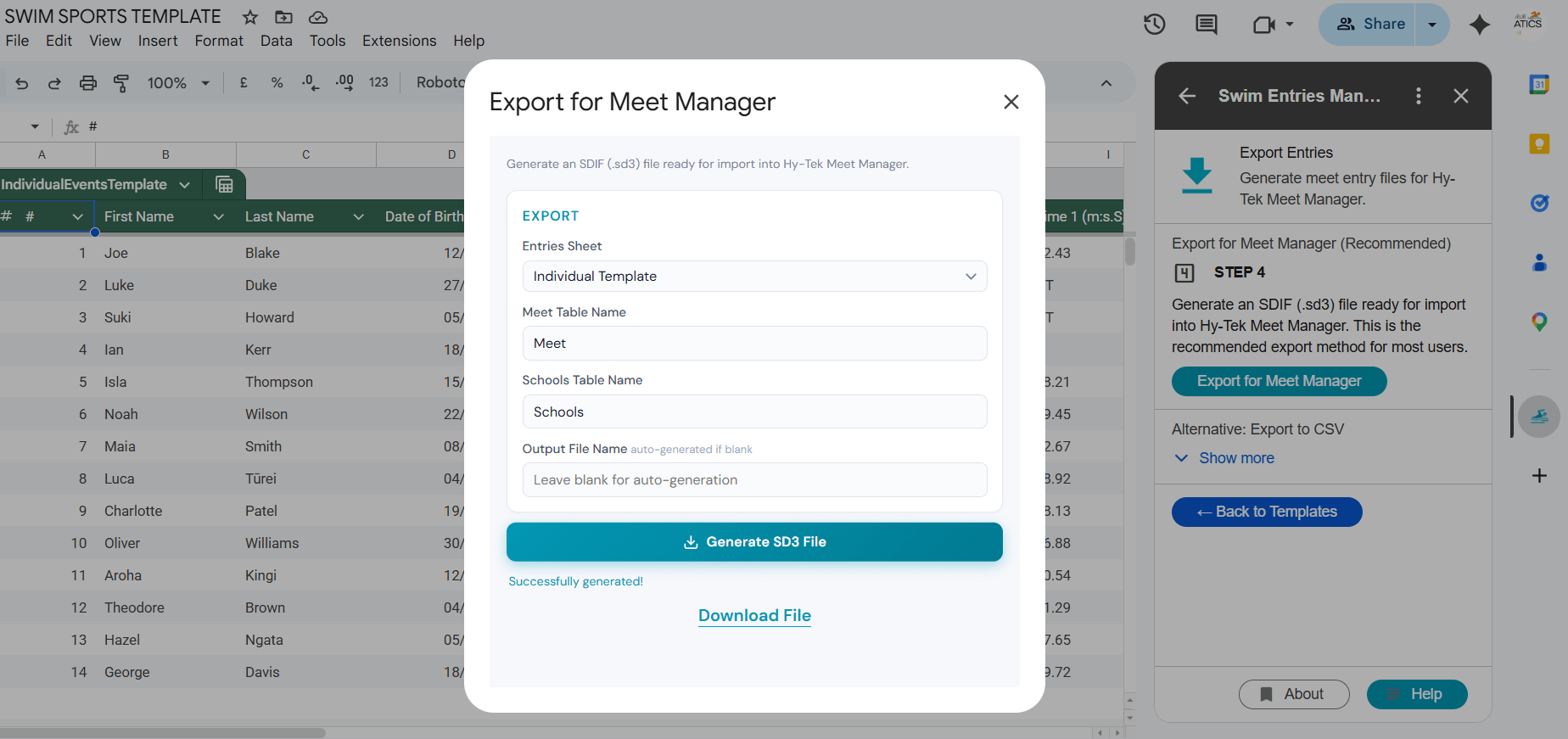
- Auto-Detection: Automatically detects event and time columns in any sheet format
- Flexible Format: Handles sheets with or without time entries
-
SDIF Export: A primary feature is the ability to export the gathered entries into SDIF (.sd3) format. This is the industry standard for swimming data and is required for importing entries directly into Hy-Tek Meet Manager, the most common software used to run swim meets.
-
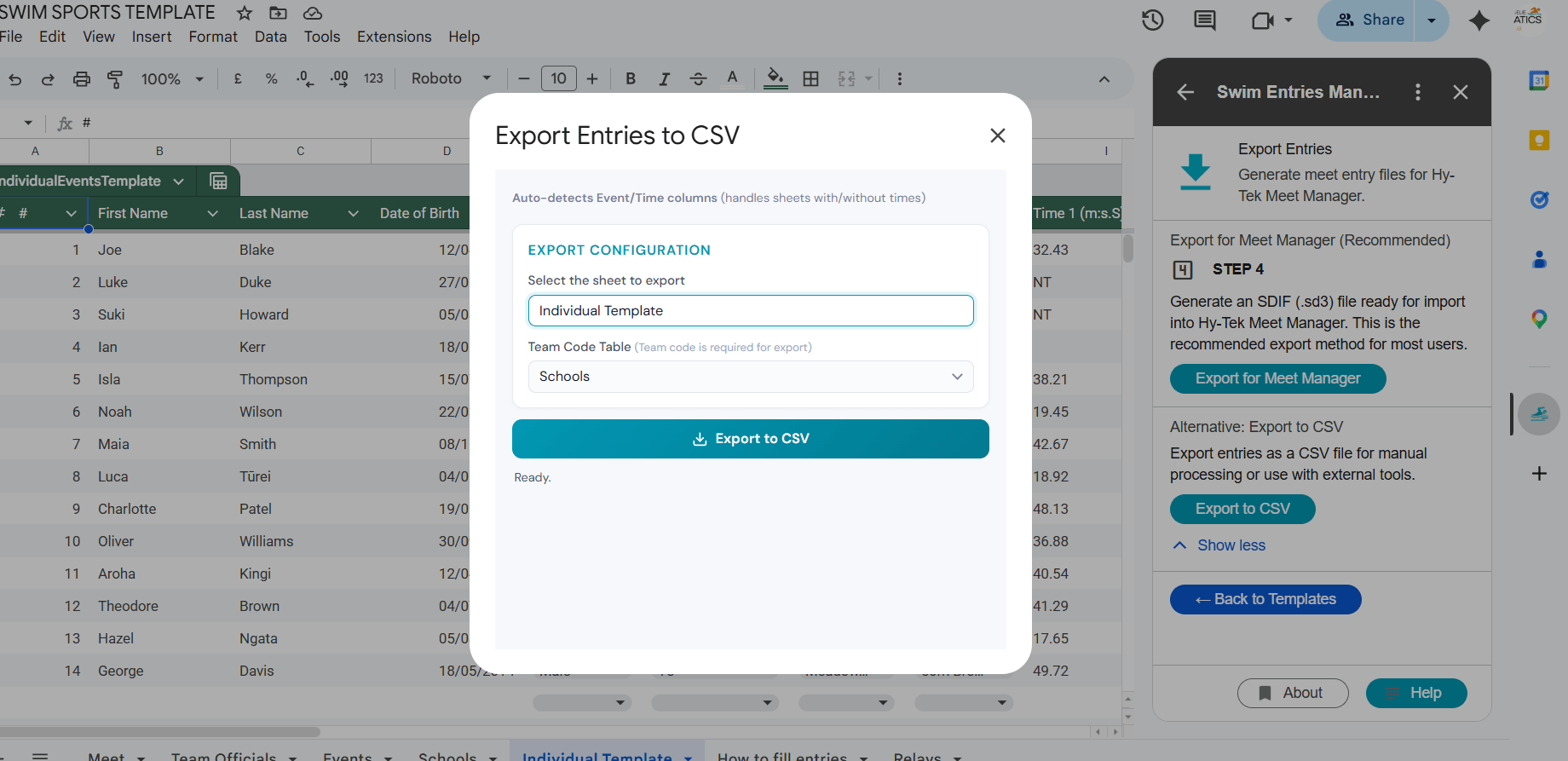
CSV Support: It also allows for exporting data as CSV files for use in other spreadsheet tools or generic meet software.
- Validation: The tool likely helps validate that entries are formatted correctly before export to prevent errors during the import process in Hy-Tek.
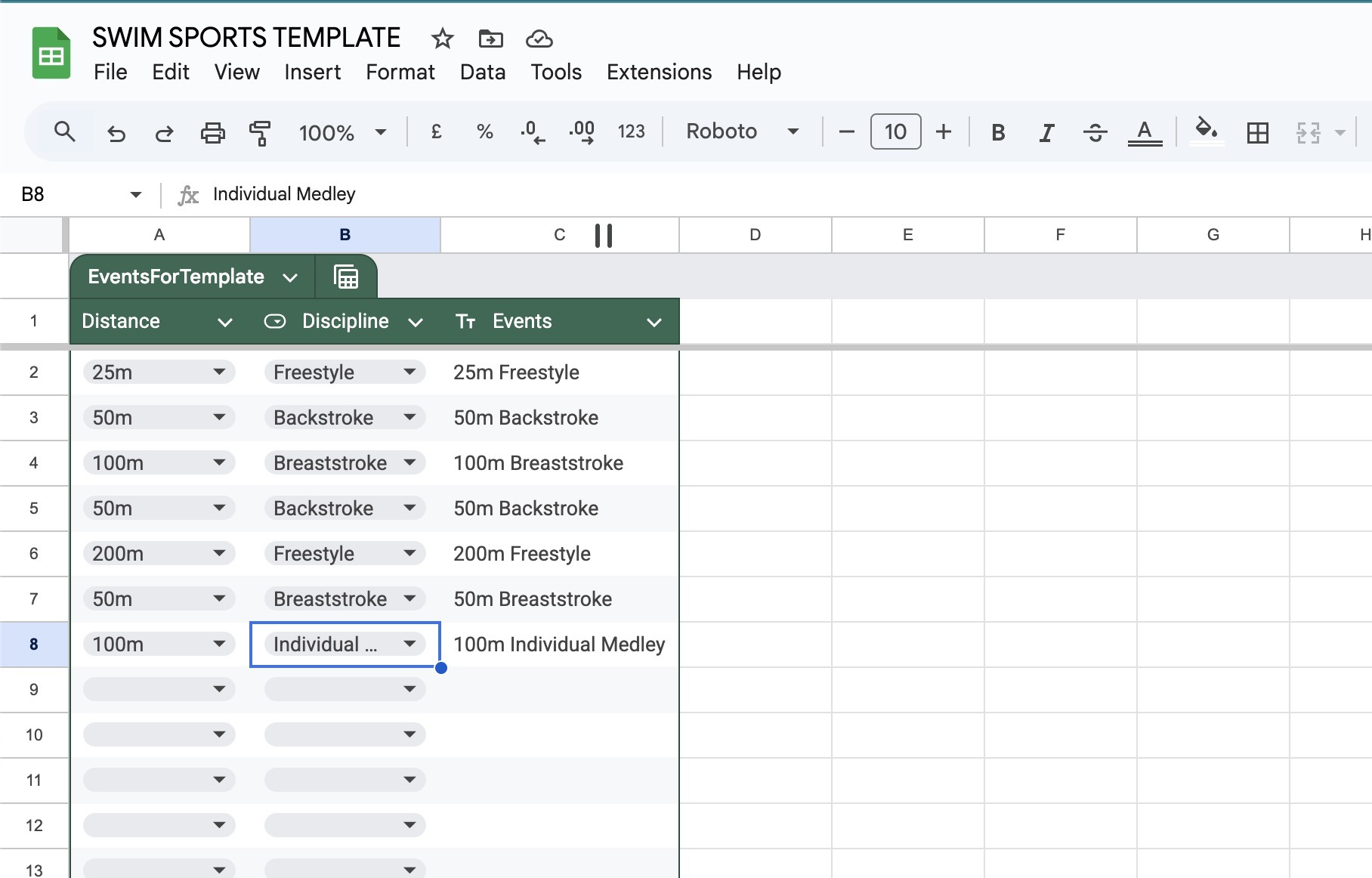
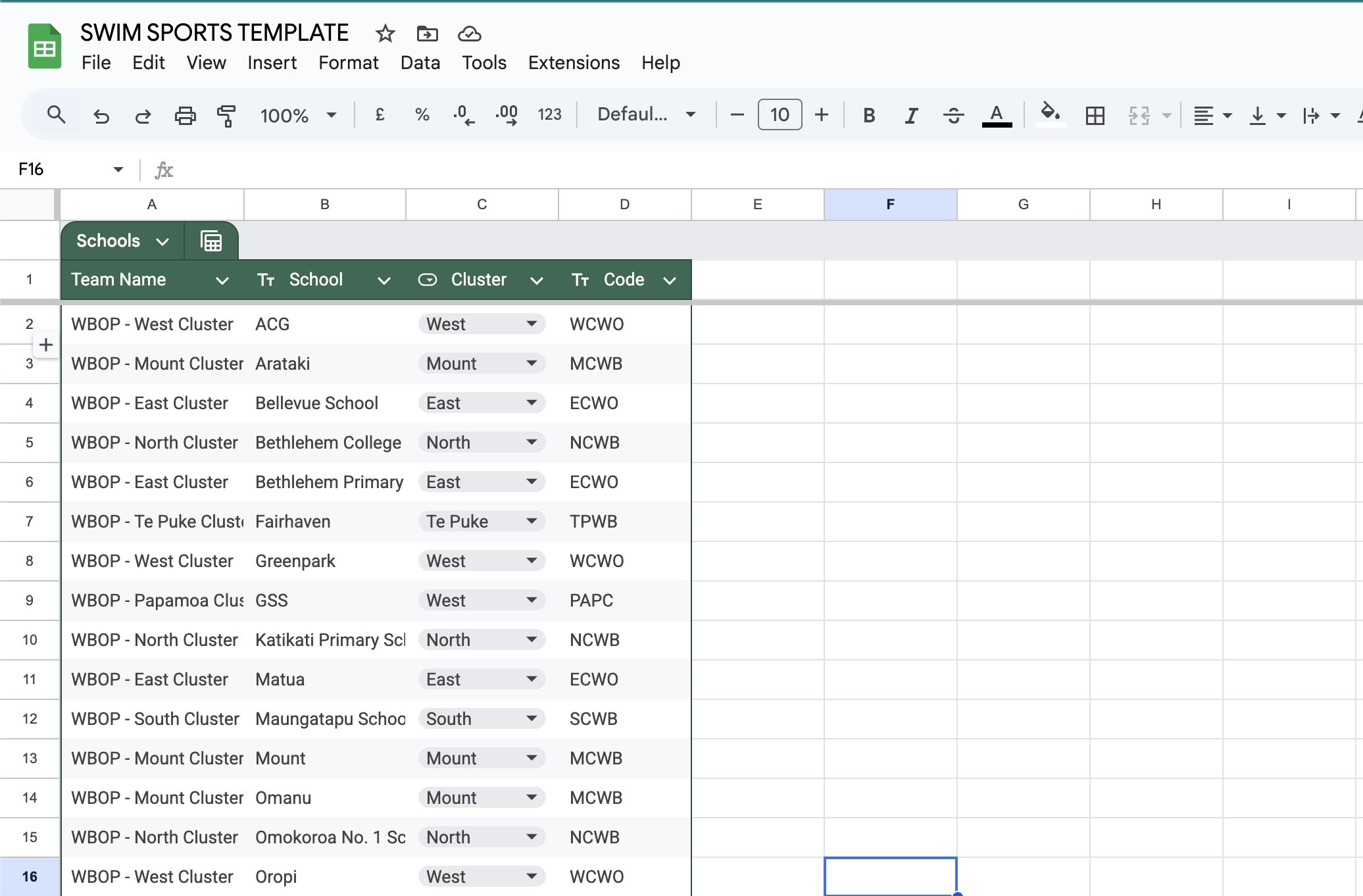
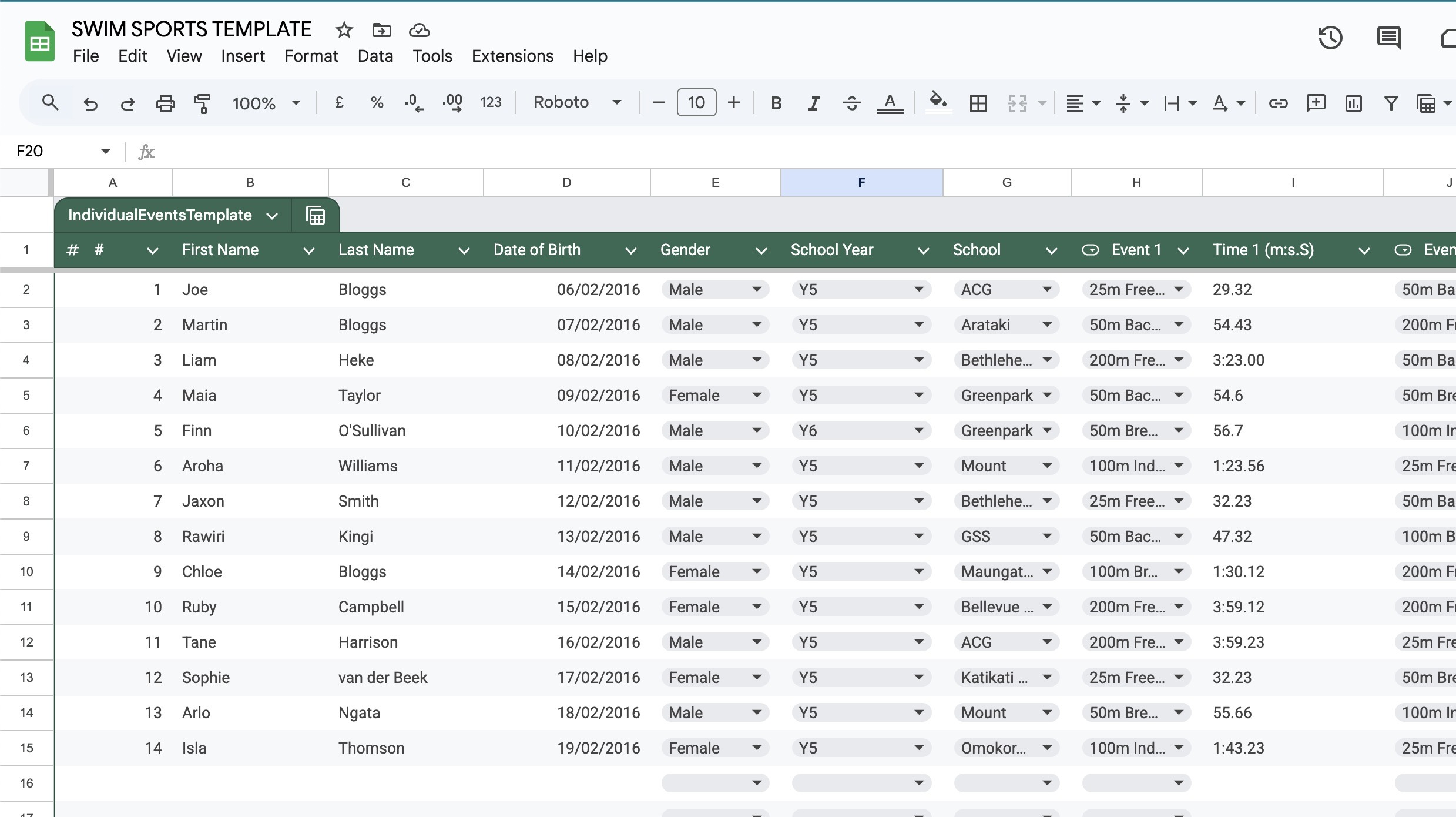
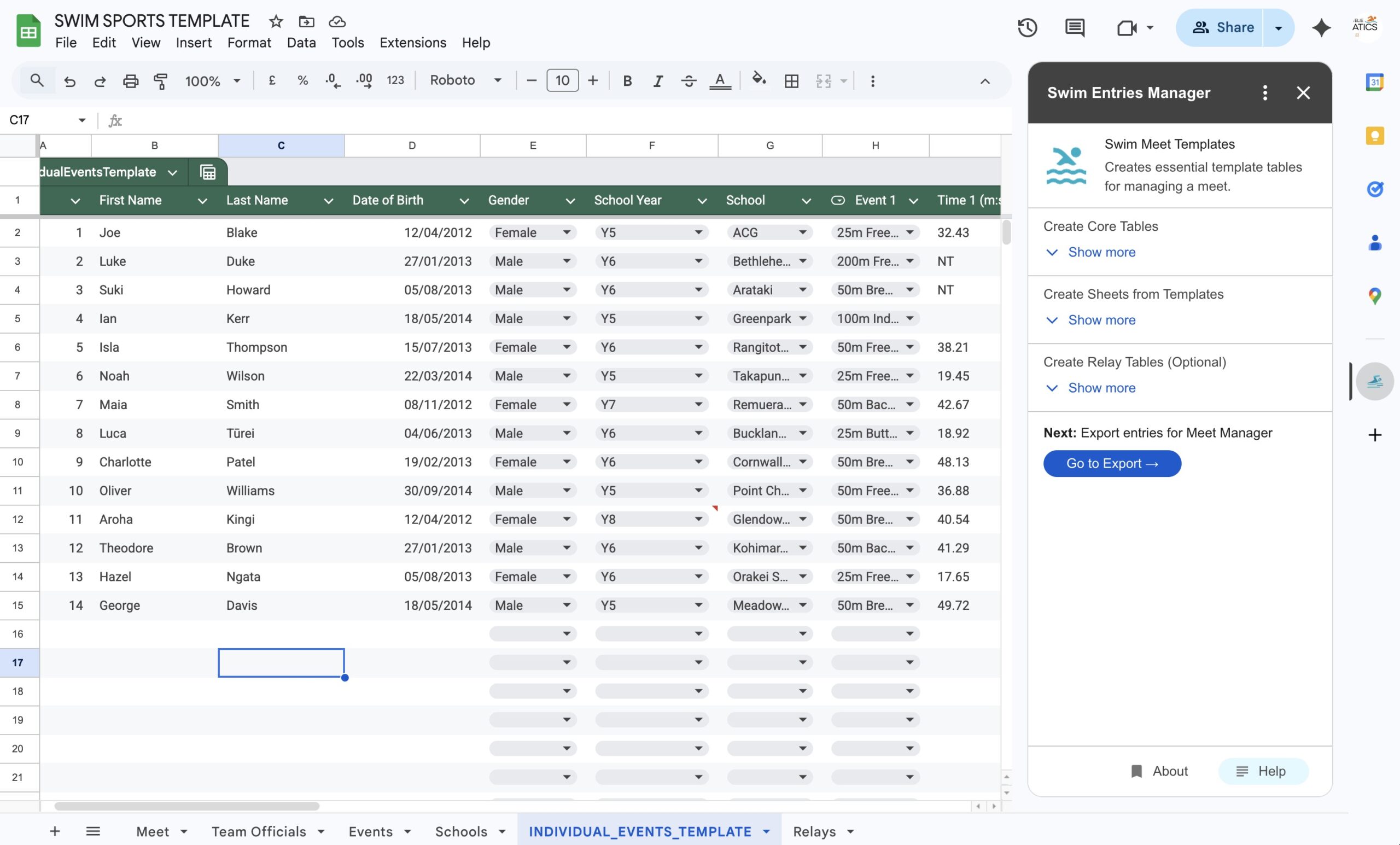
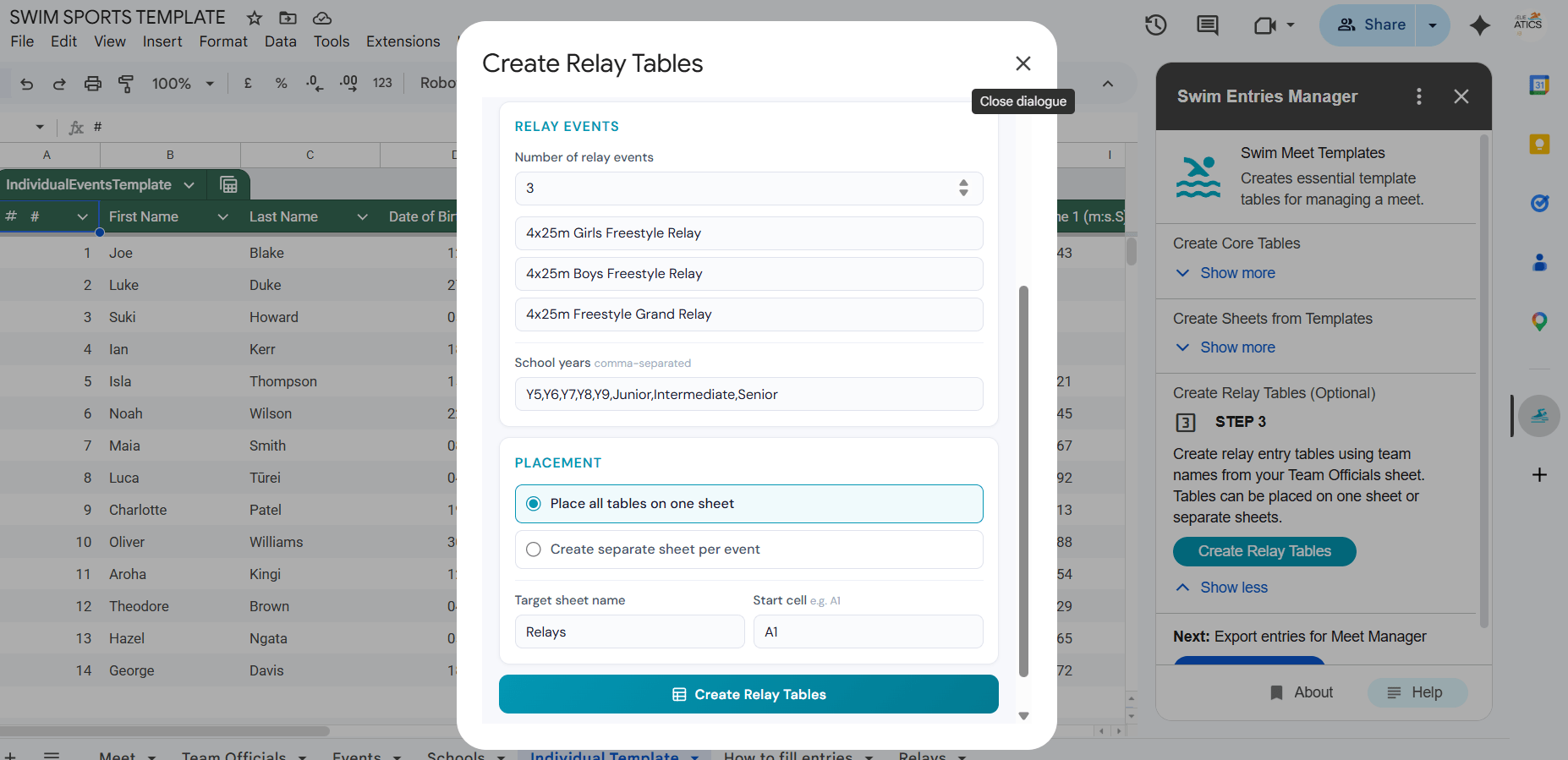
Take the pain out of school swim sports entries.
Typical Workflow
-
Setup: The organizer installs the add-on and creates a new “Meet” within a Google Sheet.
-
Event Configuration: The organiser defines the list of events (e.g., Event 1: 50m Freestyle, Event 2: 100m Breaststroke).
- School/Team Configuration: The organiser populates participating school names, codes and region codes.
-
Data Collection: The organiser shares structured entry sheets with participating teams/schools.
-
Export: The organiser uses the add-on to generate an SD3 file, which they then “Import” into Hy-Tek Meet Manager to seed the meet.
Installing Add-on
The Swim Entries Manager Add-on is available from Google Sheets. Select Extensions > Add Extension > Search for Swim Entries Manager (coming soon)
Currently in testing. You can ask to be a tester by emailing recorder@lvwasc.co.nz
Full Documentation
Comprehensive documentation is available and can be accessed via GitHub repository docs page > USER GUIDE
Technical Help
How to Get Help: If you encounter any issues or have questions regarding the Swim Entries Manager, please use the following resources:
-
User Guide & Documentation: For a step-by-step walkthrough on setting up your first meet and exporting SDIF files, visit our Official Documentation on GitHub.
-
Email Support: Contact our team at recorder@lvwasc.co.nz. We typically respond within 2–3 business days.
-
Reporting a Bug: To help us resolve your issue quickly, please include:
-
A brief description of the problem.
-
The step you were taking when the error occurred.
-
A screenshot of any error messages displayed in the sidebar.
-
Note on Hy-Tek Imports: While this add-on generates standard SDIF files, please ensure your Meet Manager age groups match the ages defined in your Google Sheet to ensure a smooth import.
Development Info
The code and development are hosted on GitHub.
github.com/petrfaitl/swim-entries-manager
If you are a draft tester, and you would like to opt-out, please send your request by email to recorder@lvwasc.co.nz.
Privacy Policy
Our app is committed to protecting your privacy. We collect only necessary information to enhance your experience. Your data is secured with industry-standard encryption and is never shared with third parties without consent. For detailed information on our data practices, please review our comprehensive Privacy Policy on the Privacy Policy page
CLUB SPONSORS


